

Service Producer Guide

Pre-Service – Lighting
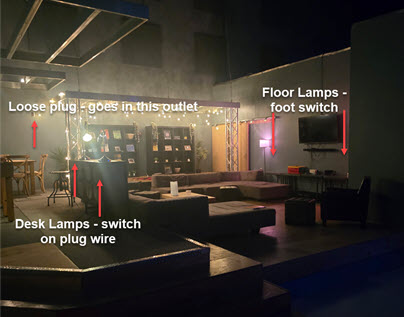
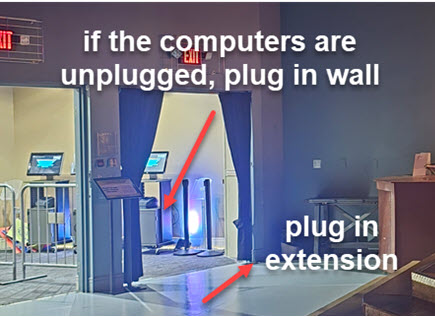
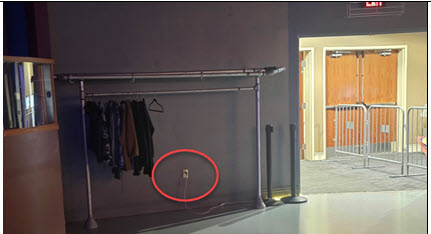
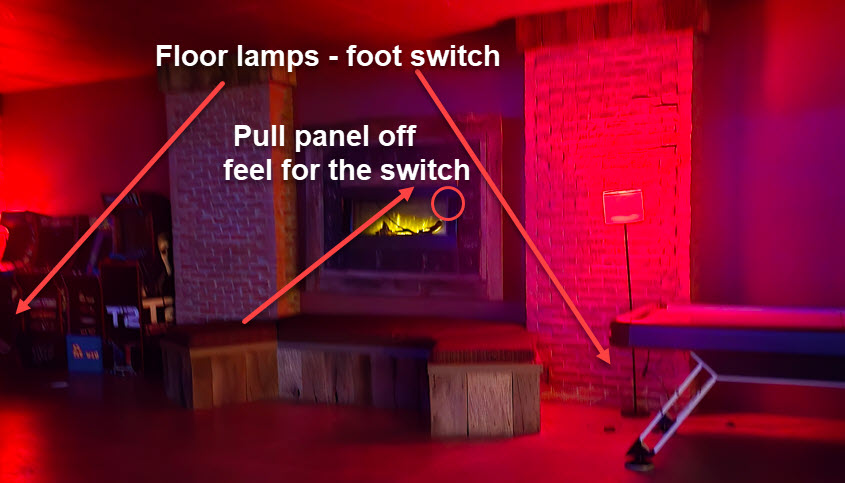
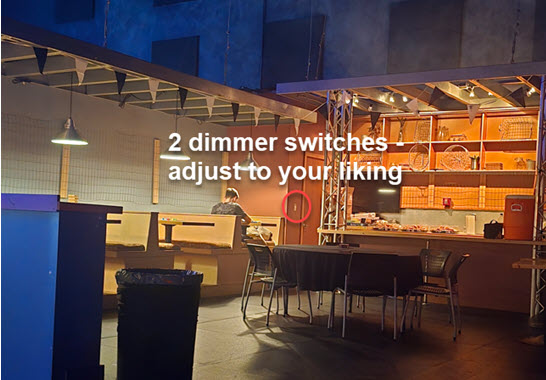
Start, if you are standing on the stage looking at the production booth, come out the right opening and start with the standing lamp where the video game area is – immediately to the right, along the wall. Make a big circle around the whole Sozo hang out area, just keep the wall to your right.
Pre-Service – TVs
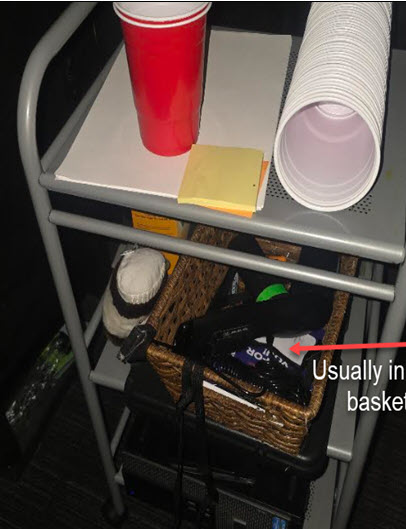
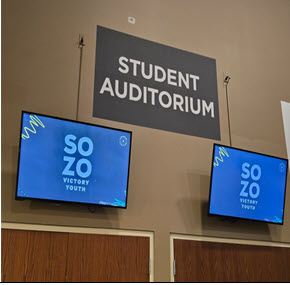
There are 4 TVs to turn on. Two above the curtained openings to the auditorium and 2 above the entrance out front. The Controller is usually in a basked under the left side of the production booth.
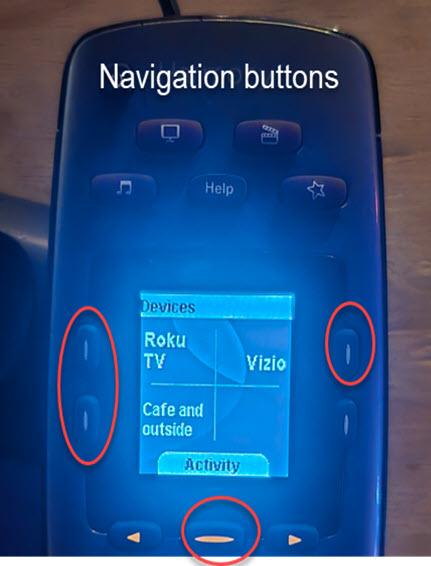
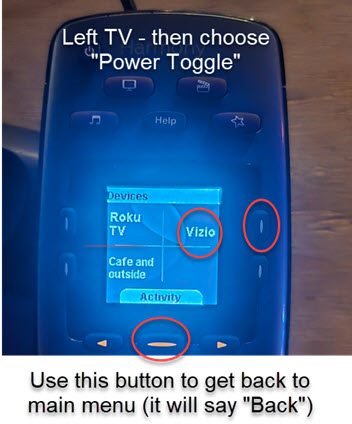
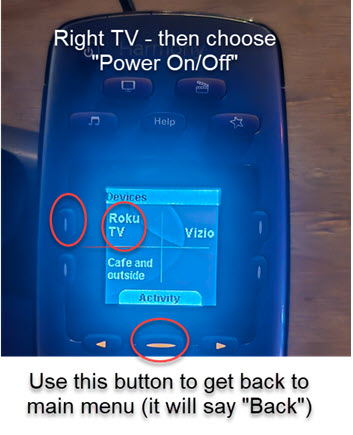
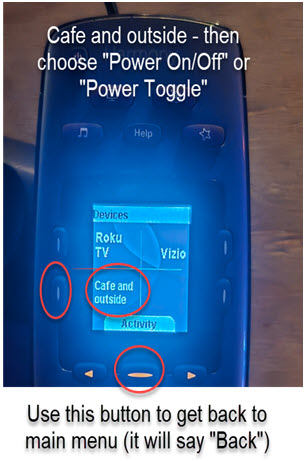
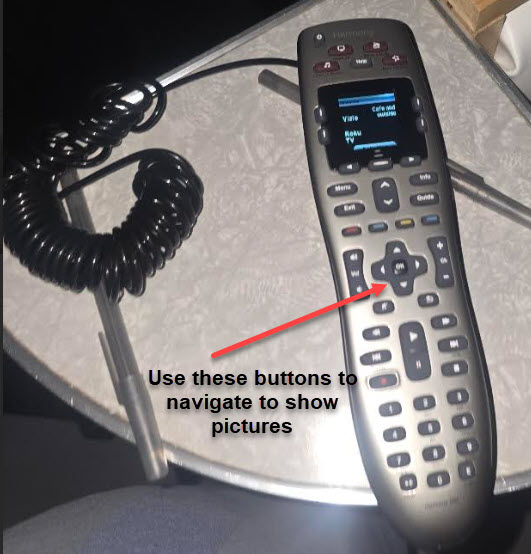
Navigate with the controller
It is not a touch screen use the buttons shown below to navigate.
Two TVs in the hang out area.
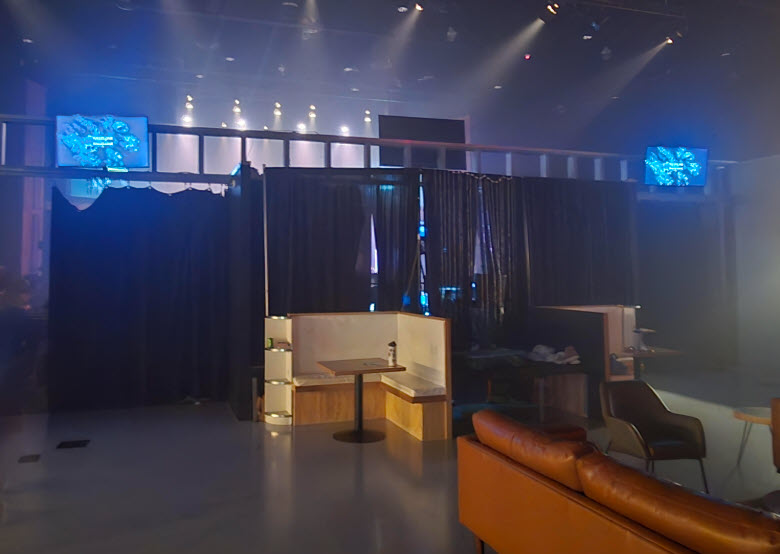
Standing in the Hang Out room facing the auditorium (LEFT)
Standing in the Hang Out room facing the auditorium (RIGHT)
Lobby TVs
Lobby TVs
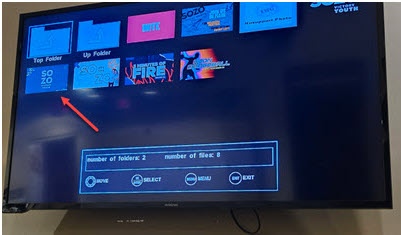
Select on the controller
Navigate to browse and display Sozo Banner
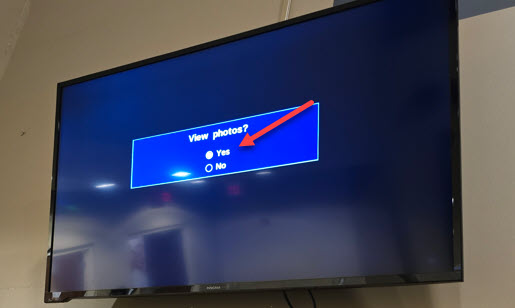
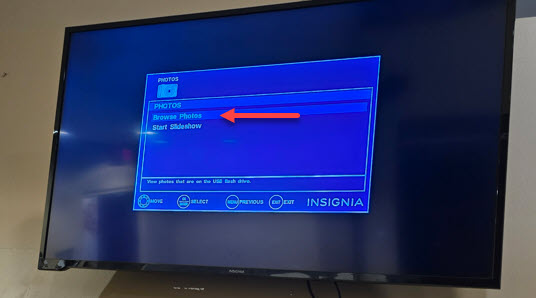
Navigate to browse and display Sozo Banner
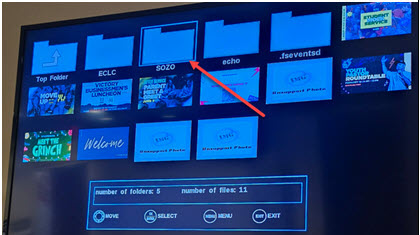
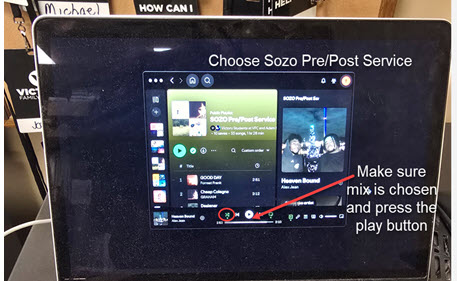
Music in the Cafe area
Music in the Cafe area
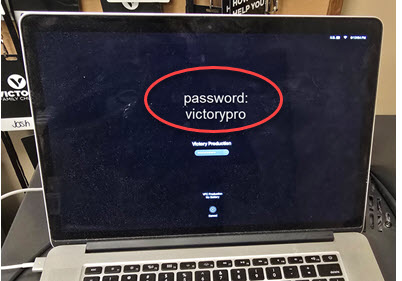
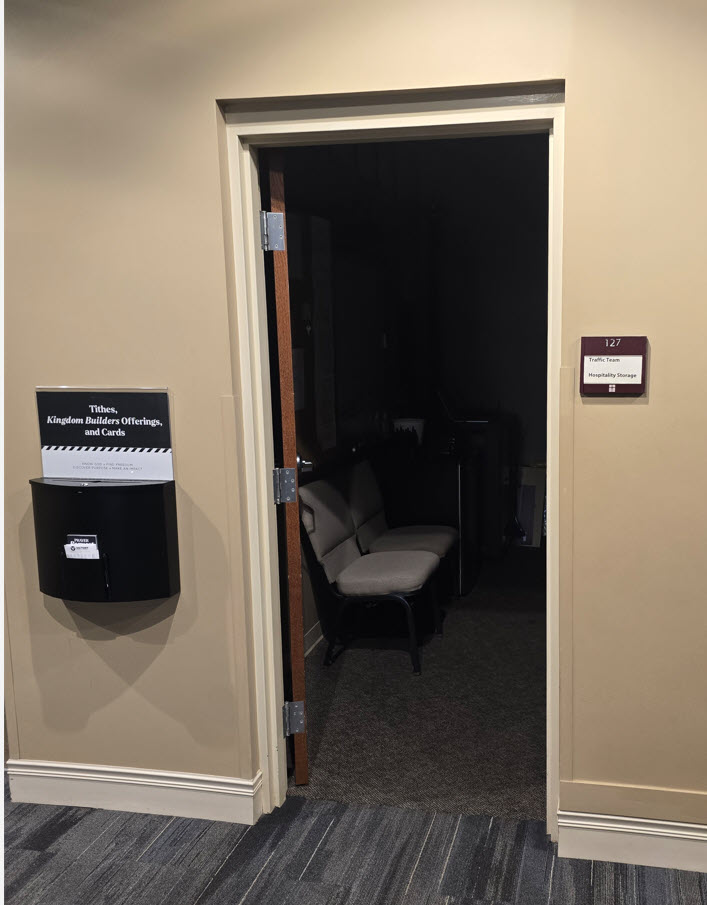
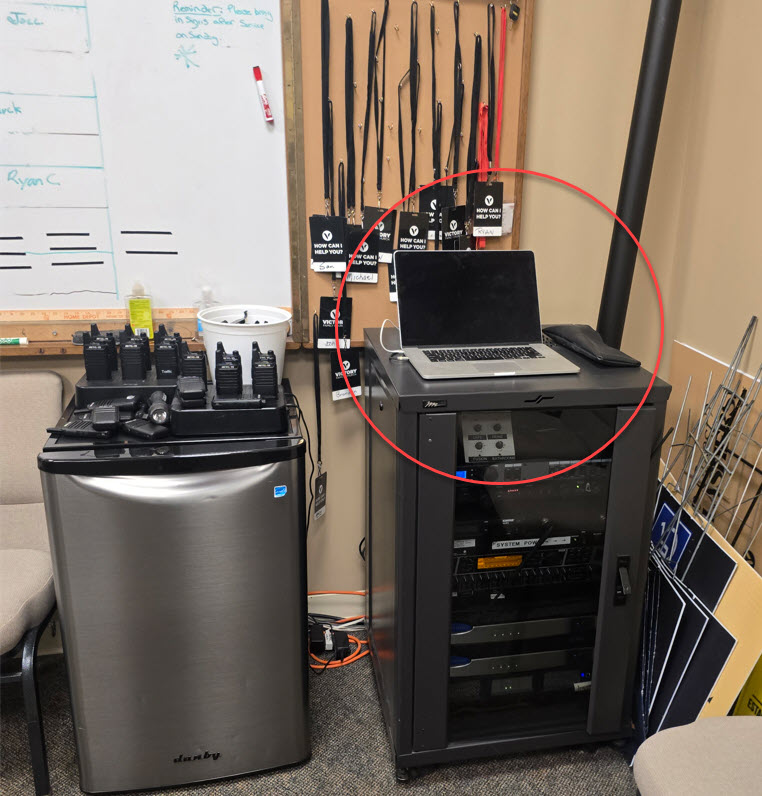
Attendance
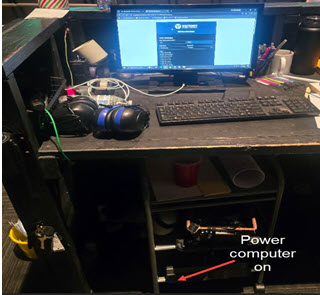
- If the computer is off, press the power button
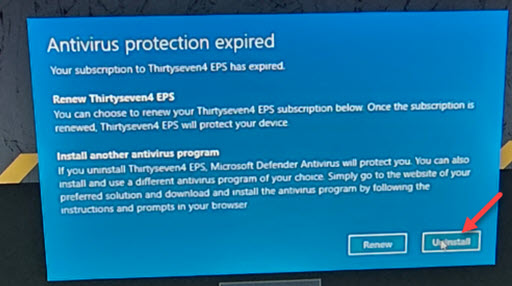
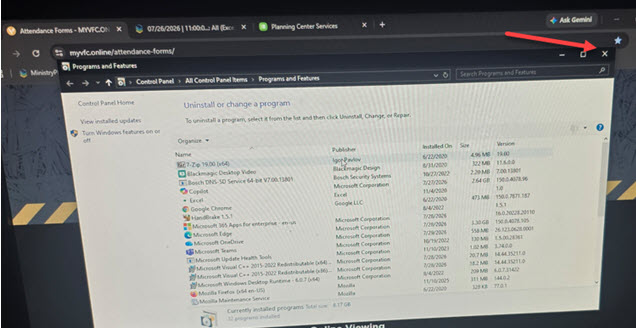
- If a screen comes up asking to reinstall anything like virus protection or whatever, just say no, cancel or whatever else works to continue. It may even say “uninstall” it is ok to click that, nothing happens.
- Open Chrome Browser
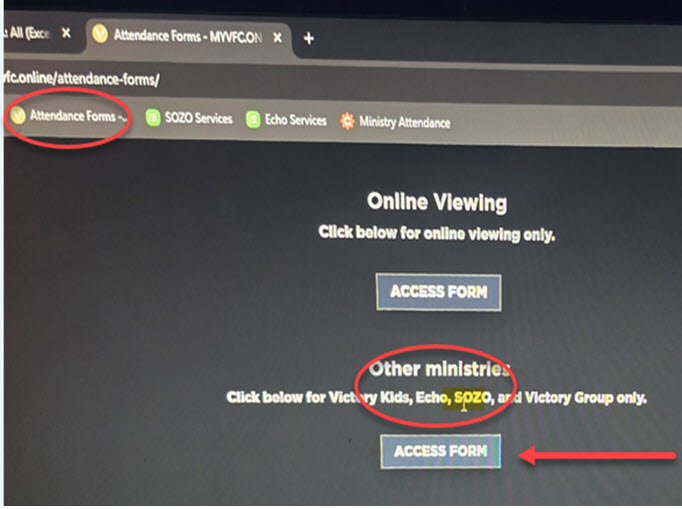
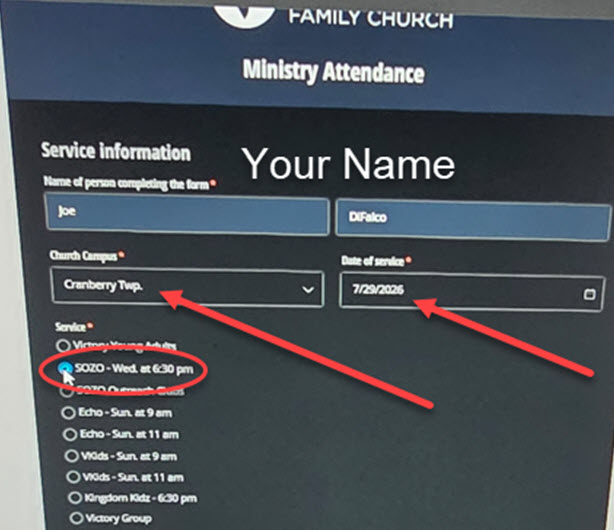
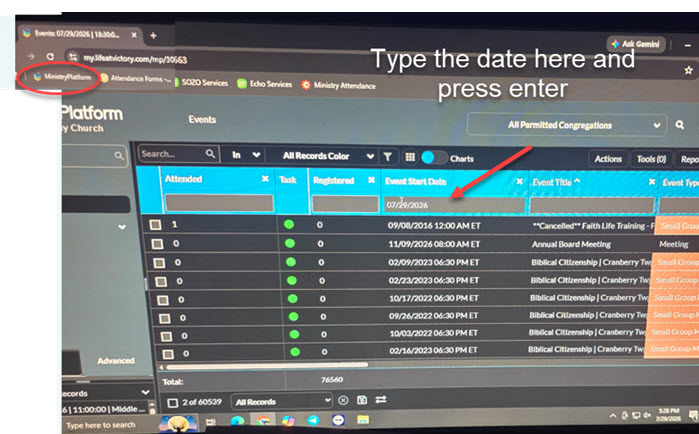
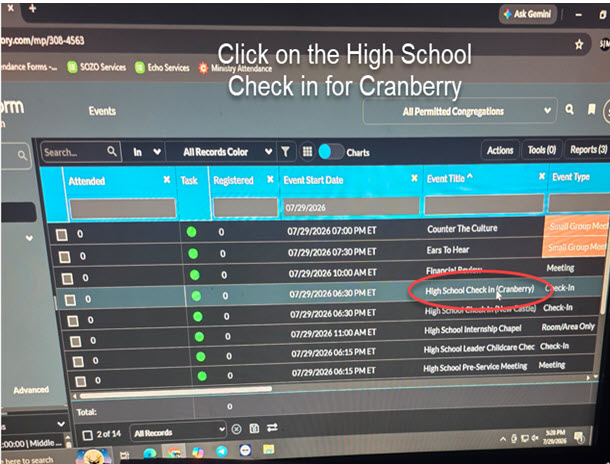
- You will see two saved links, one will show attendance numbers and one will be a link to a form to submit attendance.
- Next page will have directions
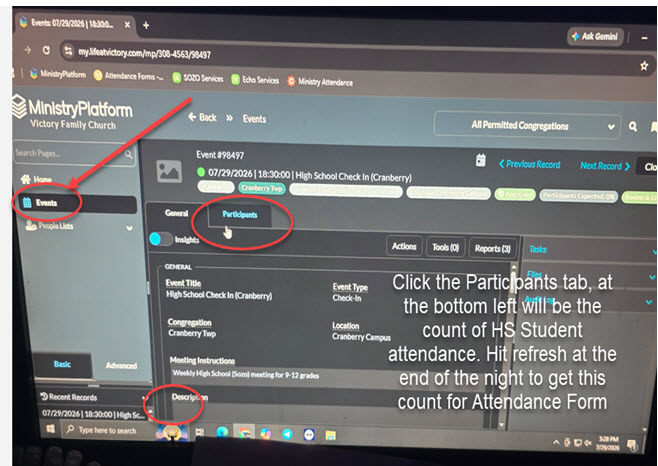
Before Service
- Check with the speaker to see if there are any special requests or changes in service order – may need a podium, note cards and pens under the student seats, or other special requests – get small group leaders to pick volunteers to help as needed
- At both of the openings to the auditorium should be an offering box and table with note taking stuff – make sure it is filled and properly placed
- Check the set-up of the chairs – if you need help, just ask other team leaders
Service Run Through
- Start at 6:40 sharp – just announce to everyone
- Make sure the service hosts have microphones and prompt them to get on stage to get everything started with a 30 second count down
- Make sure the speaker has a microphone
- Let the Worship team do their thing – prompt the bumper video 10-15 seconds after students are dismissed to their seats
- Make sure the speaker runs through their talk – ensure that the pro-presenter team is ready with appropriate slides
During Service
- Close drapes
- Pay attention to lights, words up on screen/timing, sound, students acting up…basically keep an eye out for anything that is distractions
- Handle as needed
End of Service
- Do everything in reverse – shut off TVs and lights
- Take notes of anything you might want to pass on to the leadership that may help improve other services